CREATE ADAPTIVE BOOKS
Supplies needed:Computer/Boardmaker Software
Color Printer Laminator Binder: Black 3 Ring 1" Binder, Nonstick Heavy-Duty 2 View (front and back), with Spine View, 2 inside pockets Laminate: Swingline GBC, 5 mil, Item # 3200716, 11.5 X 9 Page Fluffers: Home Depot Sku # 043374636697 M-D Building Supplies All Climate Door & Window Premium Weatherseal 5/16’ Thick 19/32” Wide 10’ Long White Card Stock 110 lb Paper Glue Sticks Scissors/Paper Cutter 3-Hole Punch |
Book Assembly Instructions:1. Download PDF for PCS. Print and cut Boardmaker symbols into horizontal strips of four
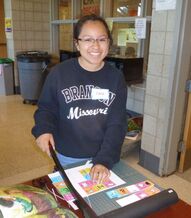
2. Glue opposite side Boardmaker strips together (eg. page 1 to page 2, page 3 to page 4) that correspond to a single page in the book.

3. Number pages in book, split book into separate pages preserving the front and back cover for the clear outside binder pocket.
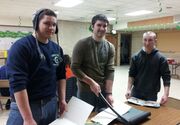
4. Put pages/symbols close to outer edge of laminate to keep lamination sealed when hole punched for binder. Once the page and symbols are aligned, dab with a glue stick to tack in place.

5. Use the first page as the model to align the rest of the pages.
6. Pages and symbols must line up through the clear laminate throughout the book.
7. Make sure you consistently line up all “odd” or “even” pages.
8. Laminate pages by feeding through laminator.
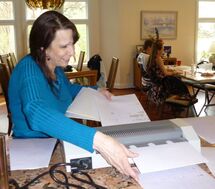
9. Hole punch left side of lamented page for placement into binder. Holes must line up with binder rings.
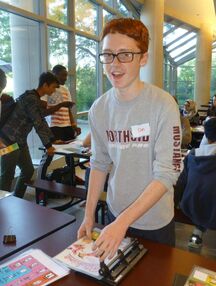
10. Stagger page fluffers (weather stripping) along right hand side of page.

11. For soft cover books, laminate front cover with communication strip and laminate back cover. For hard cover books, tape front cover to communication strip. Use packing tape to hold front and back covers in place inside the clear outside binder pocket.
12. Cut title strips to less than 1 inch and slide into binder spine.
13. Proofread book.

|
